
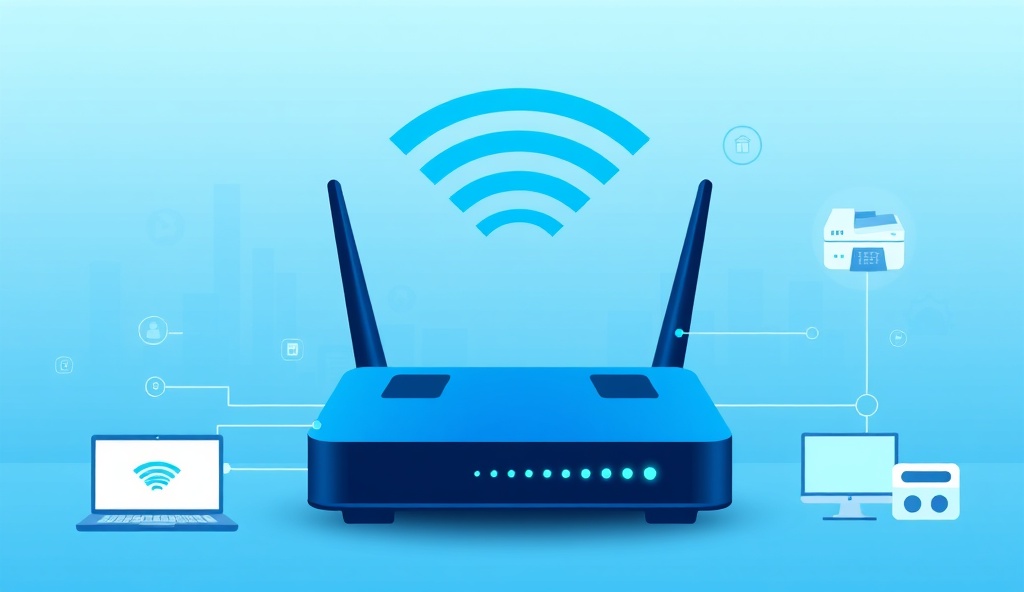
Your office Wi-Fi is probably one of the most-used but least-protected parts of your network. Employees connect to it. Clients and visitors ask for the password. Contractors, vendors, and service people use it when they visit. And in many small businesses, they all connect to the same network.
That's a significant security risk. If a guest's device is compromised or infected, it could potentially access your business files, printers, computers, and systems. If a vendor's laptop has malware, it could spread to your network. If an employee's personal phone is hacked, it could see your business data.
The solution is Wi-Fi segmentation: keeping guest devices on a separate network from your business devices. In this article, we'll explain why this matters, how it protects your business, and what small businesses often get wrong about Wi-Fi security.
What This Article Covers:
- ✓ Guest Wi-Fi separation
- ✓ Staff Wi-Fi security
- ✓ IoT and device access
- ✓ Firewall and VLAN basics
- ✓ Wi-Fi risk reduction
- ✓ When to get help
Why Guest Wi-Fi Should Not Share the Same Network as Business Devices
Think of your Wi-Fi network like your office building. If you had one main entrance with no security, anyone could walk in and potentially access every room—reception, employee desks, server room, filing cabinets. That's what happens when guests share the same Wi-Fi network as your business devices.
When guest and business devices are on the same network, they can:
- • See and potentially access shared files or printers
- • Scan the network to find other devices
- • Intercept unencrypted traffic between computers
- • Spread malware if their device is infected
- • Access network services that should be internal only
A separate guest network acts like a security barrier. Guests get internet access but can't see or access your business systems. Your printers, computers, servers, and data remain isolated and protected.
What Can Go Wrong When Guest and Staff Wi-Fi Are Mixed
Here are real-world scenarios that happen when businesses don't separate their Wi-Fi networks:
A client's infected laptop spreads malware to your network
A potential client visits your office for a meeting and asks to connect to Wi-Fi. Their laptop has malware they don't know about. Once connected to your business network, the malware could spread to your computers and files.
A contractor accesses your business data accidentally
A technician or contractor is working at your office and connects to Wi-Fi. If they're on the same network as your staff, they might see shared printers, network drives, or computers—especially if they're tech-savvy and know how to look for them.
An employee's personal device compromises business systems
An employee's personal phone or tablet is infected or hacked. When they bring it to work and connect to your business Wi-Fi, the compromise could spread to your business systems and data.
Network bandwidth gets clogged
Multiple guests streaming video on your Wi-Fi slows down your business systems. Critical work gets interrupted, and productivity suffers. With a separate guest network, you can limit guest bandwidth so business operations aren't affected.
How Wi-Fi Segmentation Helps Protect Business Systems
Wi-Fi segmentation means your Wi-Fi router creates multiple separate networks. Think of it like having separate entrances and corridors in your building. Guests enter through one door, staff through another. Each group stays in their own area.
With proper segmentation, you get:
- Guest network isolation: Guests can access the internet but can't see or access any business devices, printers, or files.
- Staff network protection: Your team's devices and data remain isolated from guest traffic and potential threats.
- Bandwidth management: You can limit guest bandwidth so business-critical applications aren't affected.
- Security monitoring: Your firewall can apply different security rules to each network segment.
- Compliance support: For businesses in healthcare, finance, or other regulated industries, segmentation helps meet security and privacy requirements.
This is accomplished using VLANs (Virtual Local Area Networks) and firewall rules. Your router and firewall work together to keep networks separate while still providing internet access to guests. A professional Wi-Fi setup ensures this is configured correctly.
Staff Wi-Fi vs Guest Wi-Fi vs IoT Devices
For maximum security, many small businesses should actually have three separate networks:
1. Staff Wi-Fi (Business Devices)
This is where your computers, laptops, and work devices connect. It should have strong security: WPA3 encryption (or WPA2 if WPA3 isn't available), a strong password, and access only to staff members. Only business devices should connect here.
2. Guest Wi-Fi
This network allows clients, visitors, and contractors to access the internet but blocks access to your business devices and systems. Guest passwords can be easier to share and change frequently. Guest bandwidth can be limited so it doesn't affect business operations.
3. IoT/Device Network (Optional but Recommended)
Internet-of-Things devices like printers, scanners, cameras, smart speakers, and other networked devices often have weaker security. A separate IoT network keeps them from accessing staff computers and prevents potential lateral movement if one device gets compromised. This is especially important for businesses with many networked devices.
For most small businesses in Beaverton, Hillsboro, and the Portland Metro area, separating staff Wi-Fi from guest Wi-Fi is the essential first step. Adding an IoT network is a nice-to-have as your security posture improves.
Common Mistakes Small Businesses Make with Wi-Fi Security
Here are the biggest Wi-Fi security mistakes we see at small businesses:
Using the same password for all employees
When everyone uses the same password, you can't tell which devices connected when, or remove access for former employees without changing the password for everyone.
Leaving the default Wi-Fi password active
Many routers come with a default password printed on the box. Attackers know these. If you've never changed it, your network could be easily accessible.
Not encrypting Wi-Fi at all
Some businesses have "open" Wi-Fi with no password. This might be convenient, but it means anyone can connect and potentially intercept traffic or access business data.
Using outdated encryption (WEP)
WEP (Wired Equivalent Privacy) is very old and easily broken. Modern Wi-Fi should use WPA2 or WPA3 encryption. If your router is more than 5-7 years old, it might still be using WEP.
Never changing the Wi-Fi password
If a former employee still knows the password, they could connect from outside the office. Change passwords when staff leaves and periodically rotate passwords.
Mixing guest and business traffic
As we've discussed, this is the biggest risk. Guests should never be on the same network as business devices.
Signs Your Business Wi-Fi Needs a Security Review
How do you know if your Wi-Fi is properly secured? Here are warning signs:
- • Guests use the same Wi-Fi as staff. If you give all visitors the same password as your employees, your network is at risk.
- • You don't have a guest network at all. Many small business routers support guest networks out of the box—if you're not using it, you should be.
- • You can't remember when you last changed the Wi-Fi password. Passwords should be changed when staff leaves and periodically refreshed.
- • Your Wi-Fi router is more than 5 years old. Older routers may not support modern encryption (WPA3) or recent security patches.
- • You don't know what encryption your Wi-Fi uses. You should be using WPA2 or WPA3, not WEP.
- • You can't control which devices get internet access. Your firewall should allow you to manage access and bandwidth per network or device.
What Wolex Technologies Reviews During a Business Wi-Fi Assessment
When we review a small business Wi-Fi setup, we assess:
- Wi-Fi network segmentation: Are guest and staff networks properly separated? Is there a guest network configured?
- Encryption and security settings: Is Wi-Fi encrypted with WPA2 or WPA3? Are default passwords changed? Are SSID names appropriate?
- Router configuration: Is the router using the latest firmware? Are security features enabled? Is the router password strong?
- Firewall rules: Are VLANs configured correctly? Can the firewall separate guest and business traffic? Is bandwidth management in place?
- Device access and management: Can you see what devices are connected? Can you remove access when needed? Are IoT devices separated?
- Coverage and performance: Do all areas of your office have good Wi-Fi signal? Are there dead zones or congestion?
After the assessment, we provide recommendations and prioritize them: what you should fix immediately, what you should plan for soon, and what can wait. A network security checkup takes a few hours and covers your entire network—not just Wi-Fi—so you get a complete picture of your security posture.
When to Schedule a Network Security Checkup
If you recognize any of the warning signs above, it's time to get your Wi-Fi reviewed. You don't need to wait for a security incident. A professional assessment is affordable and takes just a few hours.
A comprehensive network security review should include your Wi-Fi, firewall, VPN, remote access, and backups. For small businesses in Beaverton, Hillsboro, and the Portland Metro area, it's one of the smartest investments you can make in your IT security.
You'll get clear recommendations, priorities, and peace of mind knowing your business Wi-Fi is properly separated and your guest network won't compromise your business systems. Contact us to schedule a consultation.
Not sure whether your business Wi-Fi is properly separated and secured? Wolex Technologies offers a Small Business Network Security Checkup starting at $497 for businesses in Beaverton, Hillsboro, and the Portland Metro area.
Book a 20-Minute Network Security Consultation